.png)
Affordable Website Templates vs. Hiring a Designer: Which Is Right for Your Small Business?

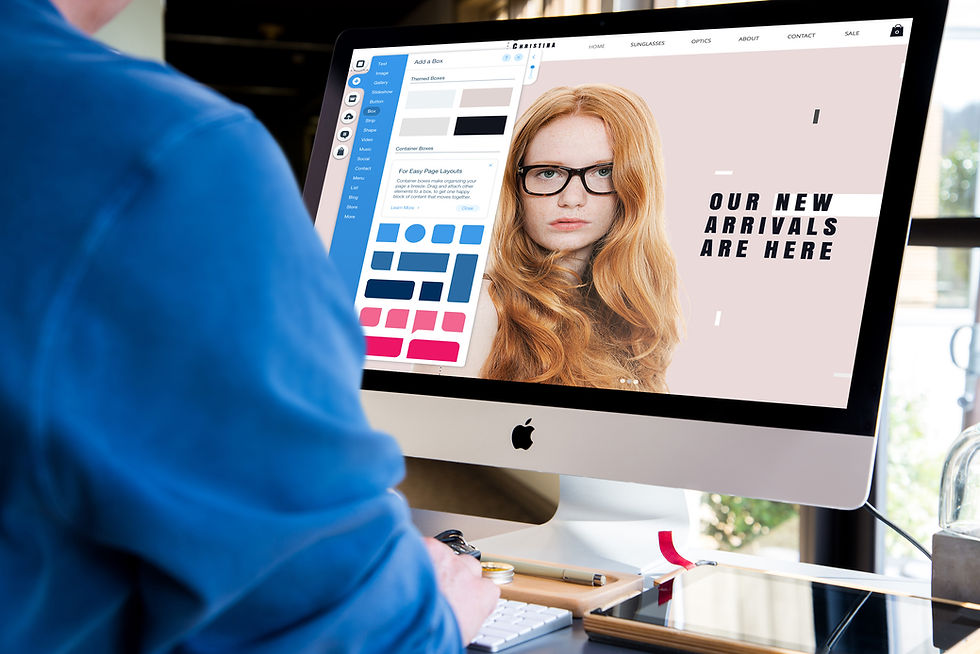
If you're setting up a website for your small business, you've probably landed on two very different starting points: buy a ready-made template and build it yourself, or hire someone to design it from scratch. Both are legitimate options — the right one just depends on your budget, timeline, and how much your site needs to do.
To put the scale of choice in perspective: Wix Studio alone now offers over 900 customisable templates covering everything from ecommerce to personal blogs — browse Wix's template library here — so however niche your business is, there's a good chance there's already a solid starting point built for it.
Here's a balanced breakdown to help you decide.
Using a Template: The Pros
Cost. This is the obvious one — templates are simply the more affordable route. Wix Studio has a huge library of free templates from you to choose from with templates created by their Wix Partners typically costing a fraction of a custom build — often somewhere between £30–£100, compared to hundreds or thousands for bespoke design work.
Shopify also offer a huge selection of themes (templates) to pick from ranging from a one-time fee, roughly $150–$400, depending on how feature-rich/polished the theme is (budget ones start around $150, premium ones sit closer to $380–$400) but they do also have a great selection of free themes too.
Speed. Templates are built to get you live fast. The structure, layout, and often the copy are already there — you're customising, not starting from a blank page.
No-code friendly. Platforms like Wix and Shopify are built around templates specifically so people without coding experience can launch a professional-looking site without touching a line of code.
Design quality, without the design skill. A well-made template has already solved the harder design problems — spacing, hierarchy, colour pairing, mobile responsiveness — so even if design isn't your strength, the foundation is solid.
Using a Template: The Cons
Genericness. However much you customise it, there's a chance someone else in your industry is using the same template — sometimes with very similar layout choices, because that's how templates work.
Limits on customisation. Templates are built to a specific structure. If your business needs something a bit unusual — a non-standard booking flow, a particular type of gallery, an unusual page structure — you may find yourself working against the template rather than with it.
Still takes real time. "Buy a template" doesn't mean "site done in an hour." Swapping in your own copy, images, and branding properly — so it doesn't look like an unfinished template — takes genuine time and a good eye for detail.
No one to ask when something breaks. With a template, you're generally on your own for troubleshooting, beyond whatever support the creator offers.
My Take on using a pre-built template from soemwhere like Wix or Shopify
Wix itself has a huge library of pre-designed templates, and in my experience, they're a genuinely great starting point, plus there are some really stunning designs, even the free ones! But there's a real nuance worth understanding before you pick one.
They're perfect if you want a professionally designed website and you're happy working within the structure that's already there — swapping out colours and fonts to match your brand, then filling in your CMS (Content Management System — essentially the backend where you input and manage your actual content, like your list of services, blog posts, or products, so it displays correctly on the pages the template has already designed for you) to add your services with ease. For a huge number of small businesses, that's exactly what you need, and it works really well.
Where it can get a little tricky is if you want to change the layout itself — rearranging sections, changing how something's structured, or making the template do something it wasn't quite designed for. That's when things can start to feel like you're fighting the template rather than using it, and it's usually the point where either more technical confidence or a bit of outside help makes the difference.
That's exactly why, when I built &Breathe, and what I'll be doing with every template I design going forward, is thinking properly about the whole customer journey before I even start on layout — not just what a page looks like, but what a business built around it might actually need. Membership areas, price plans, the ability to add multiple services or session types — those are the kinds of things I build in from the start, rather than leaving people to hit a wall later and realise the template can't stretch to fit them.
Hiring a Designer: The Pros
Built around your business, not the other way round. A designer starts with what your business actually needs — your services, your customer journey, your brand — rather than fitting your business into an existing structure.
Technical and SEO groundwork done properly. This is one of the most overlooked differences. A designer who knows what they're doing will structure your site — headings, page architecture, internal linking, load speed — in a way that supports SEO from the start, rather than something bolted on later. If you're also trying to figure out where your site costs are actually going, that's worth understanding on its own — see our full breakdown of website costs.
Ongoing support. Most designers — myself included — offer some form of support after launch, so if something needs updating or breaks, you're not troubleshooting it solo.
A site that's genuinely yours. No risk of a competitor down the road using an identical layout.
Hiring a Designer: The Cons
Higher upfront cost. There's no getting around this — custom work costs more than a template, because you're paying for time, not a reusable product.
Takes longer. A proper build involves planning, drafts, and revisions — it's not something that goes live the same day.
You're relying on someone else's availability. Timelines depend on your designer's schedule, not just yours.
So Which Should You Choose?
Honestly — it depends on where your business is right now.
If you're just starting out, have a tight budget, and your website's needs are fairly standard (a clean homepage, an about page, a way to get in touch or book), a well-made, affordable template can genuinely be the right call. I'm building a bunch of templates myself for exactly this reason — for example, my &Breathe template which recently went live on Wix Marketplace, was designed for yoga and pilates studios wanting a calm, professional site without a big design spend, and it's built on Wix Studio as a Wix Partner, so it's held to a higher structural standard than a lot of what's on the general marketplace. If you're interested in taking a look - you can see the whole template in action here > &BREATHE
I started designing my own templates for the Wix Marketplace for a simple reason: not everyone approaching me can afford a fully custom website straight away, and I remember exactly what that stage feels like — starting out with no money, and a website being one of the very first things you actually need. Templates give people a genuinely affordable way to get something professional-looking live, designed by Little Web Studios, without the custom price tag. Now, when a client reaches out and a custom build isn't the right fit for their budget just yet, I can point them toward one of my templates instead — so they're still getting something I've made, just at a different price point. And honestly, I love the creative side of it too — there's usually a template on the go in my downtime, purely because I enjoy making them. I'm working on building out a full library of Little Web Studios templates across a range of industries — next on the list is a site for a travel influencer, as well as one for a construction company.
If your business has grown past "fairly standard," or you want your site working for you strategically — pulling its weight on SEO, converting visitors properly, standing out from competitors using the same templates — that's usually where hiring makes more sense.
For a deeper look at this exact decision from the DIY side specifically (Wix and Shopify's own no-code builders, not just templates), it's worth reading Website Builder or Hire an Expert.
A Middle Ground Worth Knowing About
It's not always all-or-nothing. Some designers — myself included — will take a well-chosen, affordable template and customise it properly on your behalf, or use one as a faster starting point for a semi-custom build. It's often a good middle ground: template-level cost efficiency, with a professional eye making sure it doesn't look like a template by the time it's live.
Final Thoughts
There's no universally "right" answer here — a template can be exactly right for one business and genuinely limiting for another. If you're not sure which camp you fall into, that's usually the sign it's worth a conversation rather than guessing.
If you'd rather talk through what your business actually needs. I offer FREE, no obligation discovery calls...


Comments